Connect an AI assistant to WAVE
WAVE has an MCP server. An assistant connected to it can read your tests, write or change one, start a run, and read the results. If the test is open in WAVE, you see each change and each run as it happens.
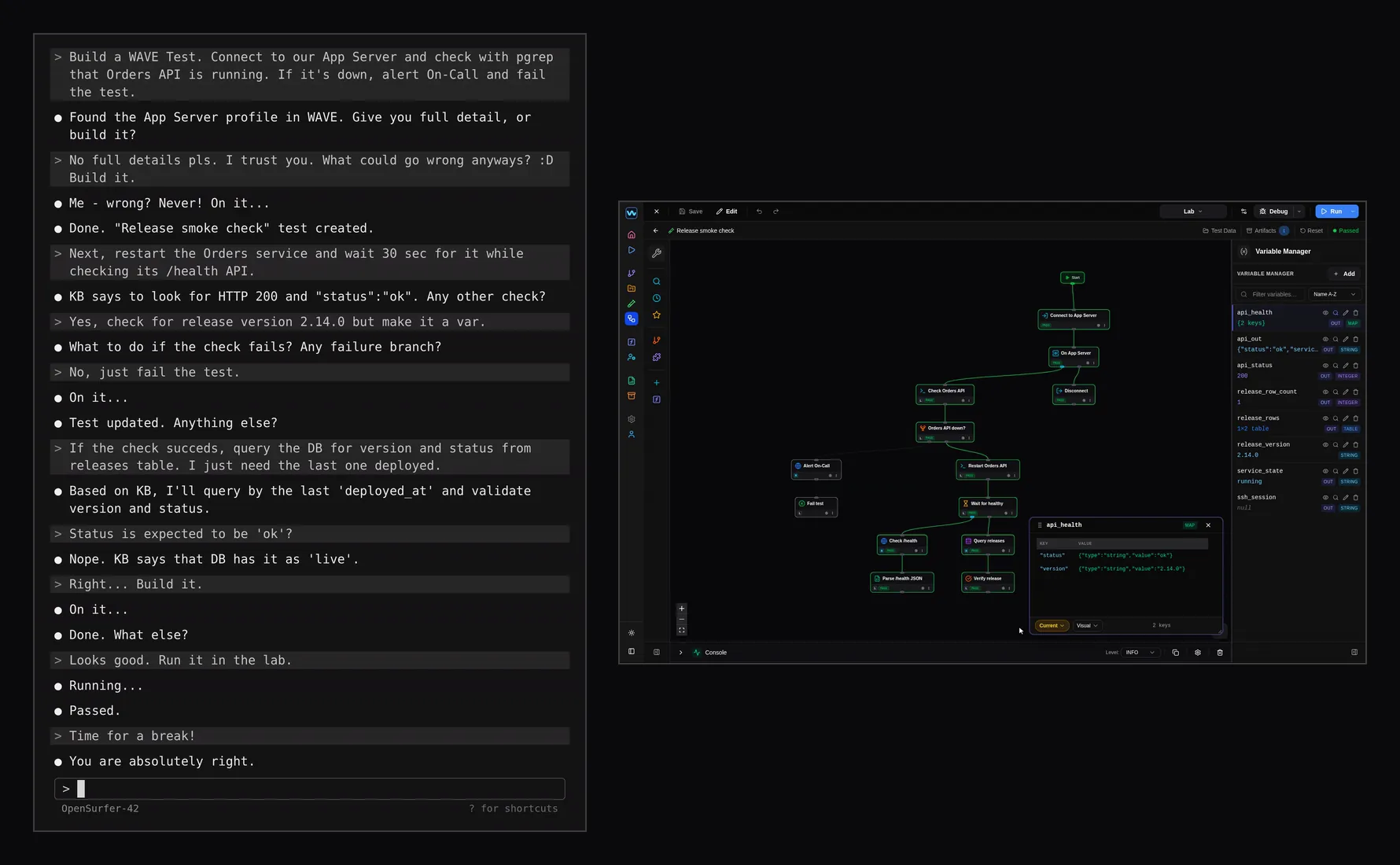
On the left, a terminal chat. On the right, WAVE. In the chat, an assistant is asked to build a test that connects to an app server and checks that the orders service is running, then to change it twice, so the test also restarts the service and waits until its health check reports the release version, and then queries the database for the last deployed release. Each time, the new blocks appear on the canvas in WAVE. Then the test runs in the Lab environment and passes. The chat is scripted, and the model in it is made up. What WAVE shows is real and was done through its MCP server.
What to ask
-
"Which tests use the orders database profile?"
Lists each test that binds it, with the block that uses it.
-
"Why did the last run of the release smoke check fail?"
Reads the run's report: which block failed, its error, and the values the run held at the end.
-
"Build a test that logs in to our app server and checks that the orders service is running."
Builds and saves the test, with the profile that holds the server's login.
-
"Make the orders health check also verify the release version, and put the expected version in a variable."
Changes the saved test. If it is open in WAVE, you see the new blocks appear.
-
"Run the release smoke check in Staging."
Starts the run. If the test is open in WAVE, you see each block's status as it runs.
-
"Add the release smoke check to the release suite and run the suite."
Adds the test to the suite, runs the suite, and reads each test's result when the run ends.
Getting started
-
Turn on the MCP server
The MCP server is off by default. In WAVE, open Settings, MCP Server, and turn it on.
-
Connect Claude Code
In a terminal, run:
claude mcp add --transport http wave http://localhost:8765/mcpIf you set a username and password in WAVE's MCP Server settings, run this instead, with your own:
claude mcp add --transport http wave http://localhost:8765/mcp --header "Authorization: Basic $(printf 'username:password' | base64)"WAVE is meant to run on your own machine. TLS for WAVE's own endpoints is on the roadmap.
-
Add the WAVE skill
It tells the assistant how to use WAVE's MCP tools. Add it in one of these two ways; you need only one.
From GitHub
In a terminal, run:
npx skills add waveapphq/wave-skillsOr from the Claude Code marketplace
In Claude Code, run:
/plugin marketplace add waveapphq/wave-skills/plugin install wave-mcp@wave-skillsOther MCP clients can connect to WAVE's MCP server too, without the skill.
AI
There is no AI model in WAVE, and WAVE calls none. What a connected assistant reads goes to the model that assistant uses, wherever that model runs.